Charging Station Locator
POSITIVE INFINITYAuto & Vehicles
2.84.00 Reviews
- Version
- Varies With Device
- Installs
- 10.00K
- Age Rating
- Everyone
Screenshots
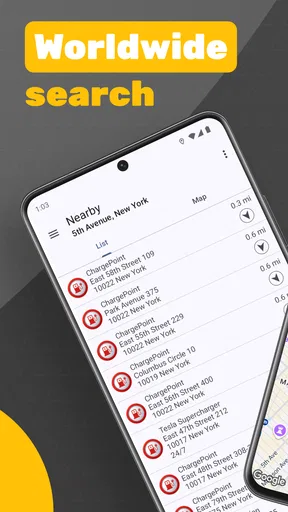
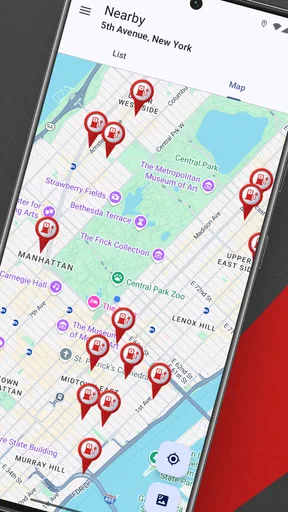
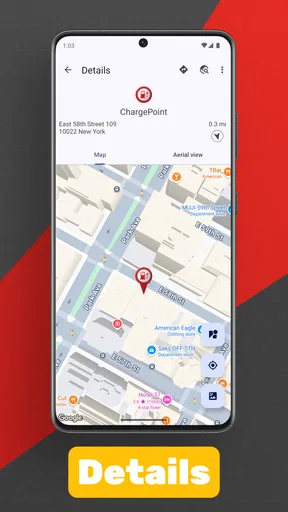
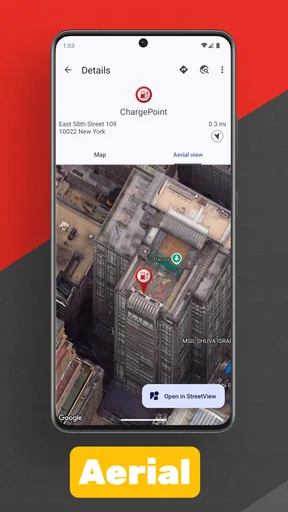
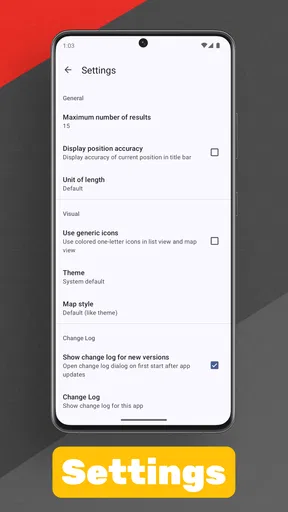
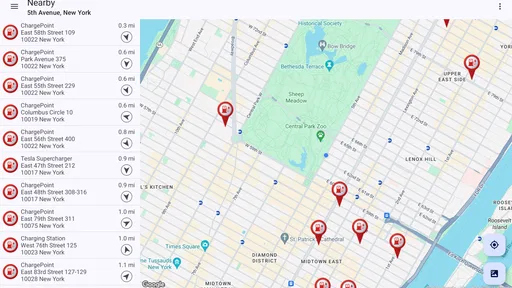
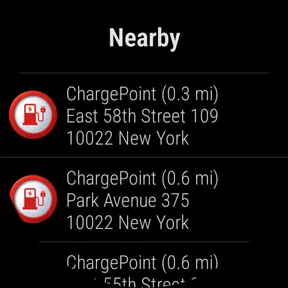
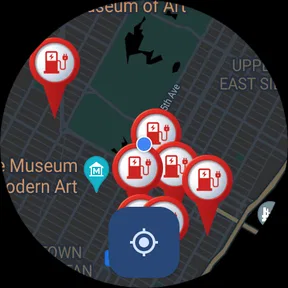
Our Review of Charging Station Locator
 Analysis by Appyee
Finding a charging point is easy when I am sitting at home with time to compare options. It becomes a different problem when the battery warning appears during a trip, the next town is unfamiliar, and I need an answer quickly. Charging Station Locator is a free Auto & Vehicles app from POSITIVE INFINITY that focuses on that very practical moment: helping me look for charging stations nearby or in another part of the world.
After using it as a focused locator rather than treating it like a complete electric-car travel companion, I found its appeal fairly clear. It is straightforward in concept, available to everyone, and useful when I want a dedicated place to begin a charging search. At the same time, the modest average rating of 2.8 from roughly fifty ratings suggests that the experience is not equally convincing for every driver. My view is that it can be a handy backup tool, but I would not make it the only app I rely on for a long journey.
What the app is really useful for
The strongest part of Charging Station Locator is its narrow purpose. Instead of asking me to learn a large collection of electric-vehicle tools, it puts the basic search problem first: where can I find a charging station close to me, or where might one be available elsewhere? That makes sense for a driver who wants a quick reference without turning the app into a dashboard for the entire vehicle.
The “anywhere in the world” idea is also more useful than it may sound. I can think about a destination before leaving, check an unfamiliar area after arriving, or search around a hotel, workplace, shopping area, or roadside stop. A local-only finder would be less helpful when I am planning across city or country boundaries. Here, the ability to search beyond the immediate surroundings gives the app a broader role than a simple “near me” button.
Still, I would separate finding a possible station from confirming that it is the right station for my car and my schedule. A locator can point me toward a place, but a careful driver still needs to check practical details before changing route. Connector compatibility, operating status, access rules, payment arrangements, opening hours, and charging speed can all affect whether a location is genuinely useful. I would treat the app as the first step in that decision, not the final authority.
A realistic trip-planning routine
My preferred way to use it is before the battery becomes critically low. I search the destination area while I still have enough range to consider several alternatives. Then I note a primary location and at least one nearby fallback in case the first option is busy, unavailable, or unsuitable. This small habit matters because a map result can look reassuring while the real-world stop may not fit the vehicle or the timing of the trip.
For a daily commute, the app is more useful as a discovery tool. I might search around the office or a regular shopping route and compare the locations with places I already visit. That can reveal a charging option that is more convenient than the station I first assumed I would use. The trade-off is that repeating this search every day may feel unnecessary if my vehicle’s own system or a familiar navigation app already handles the route well.
Another good use is checking a new neighborhood after moving, renting a different vehicle, or visiting family. In those situations, I do not yet have a personal list of dependable locations. A dedicated locator gives me somewhere to begin, while I build my own knowledge of which stations are actually convenient. I would save the useful results elsewhere rather than assume every future visit will work exactly the same way.
Where it sits beside familiar alternatives
Most electric vehicles already include some form of charging search in their built-in navigation. General map apps can also be convenient because they combine locations with directions, nearby businesses, traffic information, and other trip details. Charging-network apps may go further by handling account access, payments, live availability, or session history for their own networks. Those alternatives can be better when I need a complete charging workflow rather than a location search.
Charging Station Locator makes more sense when I want a lightweight, separate reference. It may appeal to someone who does not want to organize every charging task through a vehicle manufacturer or a particular network. It can also serve as a second opinion when the car’s navigation does not show a location I expect to find. The disadvantage is that a focused locator may leave more checking to me, especially when the decision depends on current availability or station-specific rules.
I would therefore use it alongside, not automatically instead of, the tools already available in the car. For a short local trip, the built-in system may be faster. For exploring an unfamiliar area, this app can be a useful extra search layer. For a demanding road trip, I would compare its results with the vehicle navigation and the relevant charging provider before committing to a detour.
Trust, controls, and moments that deserve care
I approach any charging locator as a decision-making aid, not a promise that a stop will work exactly as planned. In this section, I focus on how I judge search results, permissions, and payment choices without letting a rushed moment make those decisions for me. A repeatable check is especially useful when a familiar route suddenly changes.
What I can judge without overpromising
The developer is POSITIVE INFINITY, and the app is free to install. It is marked for Everyone, which makes the intended audience broad: new electric-car owners, occasional drivers, passengers helping with route planning, and people simply researching charging options. It has passed the early stage of a new release, having appeared in June 2021, and it has more than ten thousand installs. Those details tell me that it has had real exposure, but they do not by themselves guarantee that every search result will be current or that the interface will suit every driver.
The rating is the clearest reason I would approach it with measured expectations. A 2.8 average is neither a reason to dismiss the app immediately nor a score I would ignore. With only a small pool of ratings, individual experiences can have a noticeable effect, but the number still signals that some users have encountered friction. I would install it and test the search behavior in my own area before depending on it for an important journey.
The app includes in-app purchases priced at $1.99 per item. That makes the free starting point attractive, but I would pay attention to any purchase screen and make sure I understand what an item unlocks before confirming it. A charging locator is most useful when its basic behavior is clear, so visible choices matter more to me than an assumption that every function is included at no cost.
Permissions and data-sensitive moments
Location-based searching naturally creates a privacy moment. If I ask for stations near me, the app may need a way to know or receive my position, depending on how the search is implemented. I would read the operating-system permission prompt carefully instead of approving it automatically. If I am searching for another city, I prefer entering that place manually when possible, because a destination search does not require me to expose my current position simply to identify a future area.
I also pay attention to whether the app lets me use a map or search without creating an account. An account can be useful in some services, especially when payment, saved vehicles, or charging history are involved, but a basic locator does not obviously need the same level of personal commitment. If the app presents an account request, I would consider whether it is necessary for the specific task I am trying to complete rather than signing up by habit.
The same caution applies to in-app purchases. I would avoid entering payment details while parked in a stressful roadside situation. If I decide that a paid item is worthwhile, I would review the purchase dialog calmly, confirm the amount, and check whether the feature is a one-time item or something that could affect future spending. The visible choice at that moment is more important than assuming the free label covers every possible function.
These checks are not meant to make a simple station search feel complicated. They are practical safeguards. A location app can become part of a travel routine, and anything connected with movement, destinations, or payment deserves a quick review of the choices being offered. I would keep location access limited to what I am comfortable with and revisit the permission in the phone’s settings if my usage changes.
How much control the driver has
My preferred workflow is deliberately manual. I open the app when I need it, search the immediate area or a destination, compare the result with another source, and close it when the decision is made. That gives me more control than leaving location access active without a clear reason. It also reduces the chance that I confuse a search result with a confirmed reservation or an active charging session.
I would not assume that finding a station in the app means I can start charging through the same app. Those are different tasks. A location result can help me decide where to drive, while the station operator may still control access, payment, activation, or support. Keeping those roles separate prevents a common mistake: arriving at a listed location and expecting the locator itself to handle every part of the stop.
Privacy-conscious users should also think about search history and destination sensitivity. Looking for a station near home, work, or a regular appointment can reveal patterns if searches are retained somewhere. I would avoid searching unnecessarily precise places when a broader area is enough, and I would check the app’s available settings and the phone’s controls rather than assuming that closing the screen erases every record.
Small techniques that improve the experience
First, search from the destination outward instead of only searching from the current position. This is especially useful when I am planning a visit and want to know whether charging will be practical after arrival. It turns the app from an emergency finder into a simple planning aid and gives me time to compare alternatives before I am under pressure.
Second, repeat a search after changing the area slightly. A station just outside the obvious center may be more useful than the closest result if parking, access, or route direction is better. I would not choose solely by distance. The best location is the one that fits the whole stop, including how long I expect to remain there and whether returning to the route is convenient.
Third, use a two-source check for important trips. I might use Charging Station Locator to discover candidates, then confirm the chosen location through the vehicle’s navigation, a network service, or another dependable reference. This is a realistic compromise: the dedicated app expands the search, while the second source helps me catch details that can change the decision.
Fourth, test it in a low-pressure situation before a long journey. I would search my own neighborhood, compare a few recognizable locations, and see whether the results are understandable enough to use while parked. This gives me a personal sense of its usefulness without risking a trip where a disappointing result would leave me with little time to adapt.
Who should use it, and who should skip it
I can recommend trying it to a new electric-car owner who wants a separate way to discover charging locations. It is also reasonable for occasional drivers, visitors in unfamiliar places, and passengers who prefer to research stops while someone else handles the driving. The free entry point makes experimentation easy, and the worldwide search concept is helpful when the route goes beyond the places I already know.
I would be more cautious if I needed live operational certainty, detailed vehicle compatibility, route-aware battery planning, or a complete payment workflow. In those cases, the car’s own system or a specialized charging-network service may be a better primary tool. Drivers who dislike checking several sources may also find this app too limited, because a location alone does not answer every question that appears at the roadside.
It is also not my first choice for someone who wants to minimize every permission and account prompt without reviewing them. The right approach is not to grant access automatically, but to inspect each request and decide whether it matches the task. If the app’s controls feel unclear during that process, I would use another option that gives me more confidence.
My cautious verdict
Charging Station Locator has a sensible purpose and can earn a place as a backup search tool. I like the idea of looking beyond the immediate area, and I can see genuine value in using it to scout destinations, learn a new neighborhood, or cross-check the built-in navigation in an electric vehicle. Its free installation and Everyone rating make it approachable for a broad audience.
My recommendation comes with a clear boundary: I would not rely on it alone for a time-sensitive charging stop. The middling rating, the need to verify practical station details, and the separation between locating a point and actually using it all argue for a cautious workflow. Search early, compare important results, inspect permissions, and review any paid choice before confirming it.
For me, the app works best as one piece of a sensible charging routine. It can widen the list of places I consider, but I remain responsible for checking whether a location suits my car, route, timing, and privacy preferences. If that balance sounds reasonable, Charging Station Locator is worth testing in a familiar area first. If I need a fully integrated, real-time charging service, I would choose a more specialized alternative instead.
Verdict
Strengths of Charging Station Locator
- Finds nearby EV charging stations using your current location.
- Useful map view helps plan charging stops on longer journeys.
- Station details can make comparing available locations easier.
- Supports quicker decisions when battery levels are running low.
- Simple concept that is convenient for everyday EV drivers.
Limitations of Charging Station Locator
- Coverage and station data may vary by country or region.
- Availability information may not always update in real time.
- Some listed chargers may require separate operator apps or accounts.
- Location features can increase battery and mobile data usage.
- Results may include stations with restricted access or limited hours.
Similar Picks in This Category
View All
Android Auto
Google LLC4.1

maxim — order a taxi & food
PT. SITO4.7

Штрафы ГИБДД: проверка с фото
Pays LLC – Штрафы ГИБДД4.7

Номерограм – проверка авто
Авто Ассист4.8

Дром Авто
Дром4.9

Frequently Asked Questions
What is Charging Station Locator and who is it useful for?
Charging Station Locator is a navigation and discovery app designed to help electric vehicle drivers find nearby charging points. After entering your location or allowing GPS access, it can help you identify stations around you and plan where to recharge. It is especially useful for daily commuters, road-trip travelers, and drivers visiting unfamiliar areas who want to reduce the risk of running low on battery.
Can I use Charging Station Locator to find compatible charging stations?
The app can help you search for charging locations, but drivers should still check compatibility before starting a session. Station availability may depend on your vehicle’s connector type, charging speed, network, and access requirements. Review the station details shown in the app and compare them with your car’s specifications. Information can vary by location, so confirming details on-site or through the operator is recommended.
Does Charging Station Locator show real-time availability and pricing?
Availability, pricing, opening hours, and station information may depend on the data supplied by charging networks or other providers. Some locations may display current status or additional details, while others may only provide basic information and directions. Because charging data can change quickly, treat the app as a planning aid rather than a guarantee. Always verify the final price and whether a charger is operational before traveling to it.
Does the app provide navigation, and does it require location permission?
Charging Station Locator is most convenient when location access is enabled, because GPS allows it to display charging points near your current position and support route planning. Depending on the version and platform, it may work with map or navigation services to guide you to a selected station. You can usually search manually without continuous location access, but disabling permission may reduce accuracy and convenience.
Is Charging Station Locator free to download and use?
The app may be available to download at no initial cost, but users should review its store listing for advertisements, optional purchases, subscriptions, or network-related charging fees. Finding a station in the app does not necessarily mean charging there is free. The station operator may charge by energy consumed, time, session, or membership plan. Check the app’s current terms and the operator’s pricing before plugging in.
